Key takeaways
- Learn AI for HR by practicing one safe, recurring task.
- Build judgment by checking every output before anyone uses it.
- Start with Generative AI and simple automation; explore agentic AI later.
- Turn practice into a measured project and a clear result.
- Use a course for structure, support, and guided practice.
Jenelle Buatti, a course instructor for our AI for HR Professionals course, says, "Most HR professionals weren't given a clear starting point." That problem is familiar: you can read about tools for weeks and still be unsure what to practice first.
This guide gives you an order. You'll learn what the core skills look like, what to focus on early, and how to get started with AI in HR through one habit, one project, and one result you can explain and defend. After that, our guide to using AI in HR shows how to apply the same judgment across broader HR workflows.
What learning AI for HR actually involves
Though AI as a formal field has been around since the 1950s, modern Generative AI (GenAI for short) emerged in the 2010s. Since the public launch of ChatGPT in 2022, AI models and tools have continued to develop rapidly.
The tools will continue to change at a rapid pace, so the most important skill is developing AI fluency: applying your own thinking and judgment when using AI tools. Features get updated, interfaces are redesigned, and new platforms arrive. The lasting skill is knowing:
- Which parts of your work an AI tool can help with (see examples of AI in HR here)
- Which outputs need close review
- Which decisions must stay with a person
You don't need to understand how to write code to build this general AI fluency. Some HR practitioners will develop skills and interests in moving toward a people analytics or AI development role. That is a separate path from becoming more effective with AI in your current HR role.
As AI continues to evolve, your ability to think critically, ask good questions, evaluate outputs, and make sound decisions will remain essential.
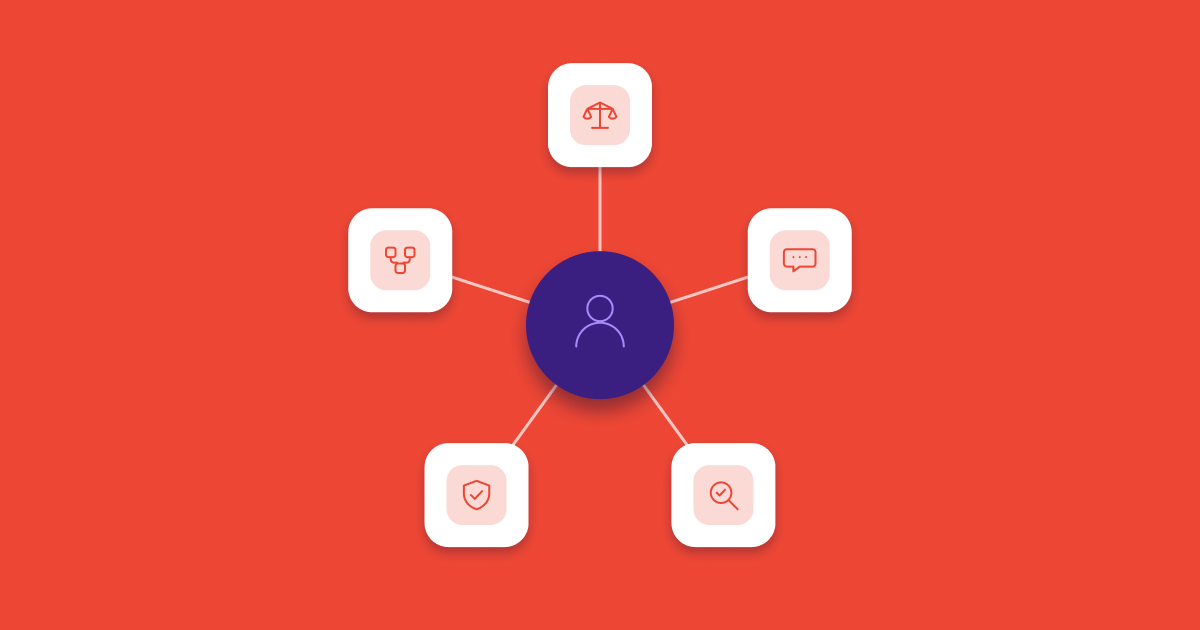
Vic Akosile, a course instructor for our AI for HR Professionals course, puts it simply: "What doesn't change is the thinking." Below are five practical skill areas to apply your critical thinking:
| Skill area | What it looks like in HR work | First practice |
|---|---|---|
| AI task judgment | Choosing drafting or summarizing work with clear, safe inputs and a human-owned outcome | Identify one low-risk recurring task |
| Prompting | Giving the tool enough context, constraints, and a useful output format | Rewrite one prompt after reviewing its first answer and compare the quality of the outputs |
| Output review | Checking facts, tone, bias, omissions, and invented (hallucinated) details | Compare the output with the source material and against your own knowledge |
| Data judgment | Following company policy and keeping sensitive or identifiable information out of unapproved tools | Practice with mock data or fully anonymized content |
| Workflow thinking | Evaluating where a repeatable draft, review, or routing step could reduce manual work | Map the steps manually before choosing a path forward |
For a deeper breakdown of how these skills fit together, see AI skills for HR professionals.
[[cta-big]]
What to focus on first and what to leave for later
As you get started with AI, start with a 90-day time period for your exploration and experimentation. Your first 90 days should focus on building judgment in the areas of HR work that you already understand. Start with simple, generative AI uses where you remain in control of the output. Save autonomous systems and decision-adjacent applications until you have governance, technical support, and clear human checkpoints in place. Here are 5 suggested areas to focus on first:
| Focus on first | Leave for later | Why |
|---|---|---|
| One approved Generative AI use case on familiar work | A collection of new tools | Repetition and practice on the underlying concepts teaches you more than comparison shopping |
| Drafting, summarizing, and organizing non-sensitive content | AI screening, performance scoring, or discipline support | Consequential decisions carry legal, bias, and employee-trust risks |
| Prompting and output review | Building or fine-tuning models | You need to judge results before you can responsibly build systems |
| Rule-based automation and generative AI | Agentic AI that plans and acts across systems | Simple workflows make ownership and review easier to see and test |
| Your organization's data and tool rules | Workarounds using consumer tools | Approval and data handling are part of the skill |
Once you have a sense of where to start, let's look at an example for how you can structure your 90 days.
Step 1: Build one safe AI habit in your first 30 days
By day 30, aim for one AI-assisted habit you can describe clearly. Pick a task you already do often and whose quality you can judge without outside help.
Good starting options include:
- Rewriting a general job description for clarity and inclusive language
- Turning a non-sensitive policy section into a plain-language FAQ draft
- Brainstorming questions for an employee event or manager session
Chris Scandlen, HRCI's CIO, also recommends experimenting in low-stakes scenarios, including drafting meeting notes, summarizing articles, and brainstorming. "Low stakes" still requires a data check. As you're experimenting, remember to use an approved tool, follow your organization's policy, and practice with public, synthetic, or fully sanitized information.
Removing a name doesn't always make a prompt safe. A rare job title, a small team, a detailed incident, or a combination of demographic details may still identify someone. Keep employee records, compensation details, medical or disability information, investigation material, performance documentation, and named candidate data out of your prompts.
Once you've chosen the task, set a repeatable rule: use AI for the first draft, then review the result against the original material every time. Track three things in a simple log:
- What instructions produced a useful draft
- What the tool regularly missed or invented
- What you changed before the output was usable
That log is your real learning record. If you want starter structures, use AI prompts for HR as a practice library, then adapt each prompt to your context instead of copying it unchanged.
Your day-30 checkpoint is one sentence: "I use an approved AI tool to help draft or organize this task, and I always review these parts before the result moves forward." If you can't finish that sentence precisely, narrow the task again.
Step 2: Turn the habit into a measured project in days 31–60
The second month turns private practice into evidence and you're ready to take on a bigger challenge. Choose one project you can finish in three or four weeks, with a clear baseline and an outcome that remains under human control.
Keep the scope small:
- Create a reusable prompt and review checklist for one type of HR communication.
- Turn one approved, non-sensitive policy into a draft FAQ and test it for accuracy.
- Organize anonymized, aggregated survey themes in an approved environment, then compare them with a manual, human review.
- Map one administrative workflow and use AI to identify opportunities in the workflow for automation using your existing organizational tools.
Keep high-stakes HR decisions out of practice
HR work, by its nature, can be sensitive and pose a risk for the organization if not handled with care. Ensure you and the team are avoiding using real candidate information, individual performance records, compensation decisions, discipline, or termination as learning projects. The EEOC warns that AI and algorithmic tools can create discriminatory barriers in employment decisions, including by screening out people with disabilities. If you want to explore a decision-adjacent use case, work with synthetic data and involve your legal, privacy, security, and technology partners before any real-world test.
Start by mapping the work
In a 2026 interview, Maggie Ruvoldt, then Chief Human Resources Officer at LEARN Behavioral, described tool-first thinking as a common mistake. Examine the current steps, owners, inputs, review points, and failure modes before you choose technology.
Measure your own before-and-after results
Pay attention to what changes over this period and how AI improves your work, saves time, and increases your capacity. Useful measures include minutes spent, number of revision rounds, factual errors caught, or whether the final document met a defined checklist. Don't estimate time savings from memory after the project; record the baseline before you change the process.
Your day-60 checkpoint is a short project note with the task, baseline, changed workflow, result, and human review point.
Step 3: Share your results by day 90
In the first 30 days, you focused on learning and experimentation. In the second month, you tracked how your actions and use of AI impacted your work deliverables. By day 90, your goal is to summarize the value you created over the last quarter and share it with your team, your manager, and any other key stakeholders.
A practical way to share this information is to turn your notes into a one-page summary that another person can easily understand and assess. Include these key points:
- Why you chose this use case and the pain point you're solving
- What you changed
- What the old process required
- What the new process produced
- What results you measured
- What stayed human and why
Then prepare two or three sentences for a conversation with your manager or leader to get their perspective. For example: "I tested an approved AI-assisted first draft for our PTO policy FAQ. It reduced the first-draft time from my recorded baseline, but I still found two categories that require manual fact-checking. I'd like to test the same workflow on one more policy before we consider sharing it with the team."
The value of that statement is its honesty. It shows a result, a barrier you hit, and a sensible next experiment. It also gives your manager something concrete to approve, question, or support.
After you've completed your 90 day experiment, month four is when this AI for HR learning path can widen. Move from one task to a related set of tasks, document the rules, and bring in the people who own security, privacy, compliance, and the relevant workflow. The practical guide to using AI in HR is the next step once your first habit and review process are stable.
When a structured AI for HR course helps
You can derive a lot of value from online articles such as this, and the impact comes when you're able to apply the learning in a safe environment with support. A formal training course or learning certificate can give you structure, feedback, protected time to practice, and most importantly support from experts and peers. As you move beyond self-experimentation, choosing the best next action for you depends on what you're seeking to develop in your AI fluency journey.
Use these questions to evaluate potential programs as a next step:
- Does it include hands-on HR work, or mostly theory and recorded explanations?
- Is the learning fully asynchronous, or is there a live instruction component?
- Who teaches it, and do they use AI in their own HR work?
- Do you receive feedback or only automated quizzes?
- Is there live support and cohort learning on a shared schedule?
- Do you complete a course or earn a certificate?
- Is the certificate issued by a credible institution, and what do you build before earning it?
Our AI for HR Professionals course runs for five weeks and combines self-paced work with live expert-led sessions. It focuses on applied HR scenarios, responsible use, human-in-the-loop guardrails, and a university-issued certificate of completion.
For a broader comparison framework of programs in the market, see our list of the top AI courses for HR professionals.
Start with one task this week
Learning AI for HR starts with judgment built through repetition. Practice on one safe task, turn the habit into one measured project, and explain the result with its limits intact.
Choose the recurring task you understand best. Confirm that the tool and data are approved, generate a first draft, and review every line before it goes anywhere. Once that habit is reliable, you will be ready to apply the same process to broader HR work.
FAQ: Learning AI for HR
How long does it take to get comfortable using AI in an HR role?
AI can become a useful tool on one familiar task after several weeks of consistent practice, but confidence and competence across different workflows takes longer. Use the 90-day plan as a sequence of checkpoints to get started, not a promise of mastery by a fixed date.
Do I need to learn coding or data analysis to use AI in HR?
No. General AI fluency in HR depends on choosing the right task, prompting clearly, reviewing outputs, and handling data safely. Coding and deeper data skills are relevant if your role moves into people analytics, automation development, or another technical specialty.
What if my company won't pay for AI tools?
Start with an approved tool your organization already provides and a low-risk task that doesn't require sensitive information. If no tool is approved, use public or synthetic material for learning and ask your security or technology team what is permitted before putting work content into any AI system.
Which HR tasks are safe to practice first?
Be sure to start with tasks that do not require any specific company or person data. Be sure to remove names and identifiers from any practice material, then check whether the remaining details could still identify someone. Good first tasks involve using public, synthetic, or fully sanitized content and producing a draft for your review, such as a general job description, a policy FAQ, or an event-question list.
Is a certificate worth it if I'm already doing the work?
It can be, if you need a structured sequence, instructor feedback, live support, or a credential that documents your learning and provides validation that you've completed the rigor and assignments required to apply what you've learned. A certificate is most valuable when paired with real-world application and measurable results. The credential can validate your learning, but the experience of applying what you've learned is what builds lasting skill.


 Your Learner Success Advocate
AUTHOR