Key takeaways
- Build AI training around clear outcomes and a starting baseline.
- Choose learning that combines relevant practice with feedback and sound judgment.
- Match the workload, progress checks, and support to your team’s needs.
- Budget for employee time and implementation support alongside enrollment costs.
- Review what employees can apply before expanding the program.
The goal of AI training for employees should be to make everyday work easier to approach: knowing where AI can help, giving it useful instructions, and judging whether its output is good enough to use. A well-chosen program and structure give your team a shared foundation and somewhere to turn when they get stuck.
Choosing (or building) that program can feel less straightforward. You may already have tools, colleagues with very different skills, and a request from leadership to demonstrate what the investment will accomplish. You don’t need to become the instructor. Your job is to connect the team’s needs with suitable learning, practical support, and time to use it.
Where to start with AI training
The easiest place to start is with a narrow scope: look for a capability that would be useful to a particular team. “Use AI to prepare an accurate first draft of a project update” gives you more to assess than “get better at AI.” Define what good work looks like before choosing training. For your team, that could mean an update that accurately reflects the project notes, includes no unsupported deadlines, and flags any issues for review.
Then establish what employees can do now. A short pre-training assessment could ask participants to prepare that update from fictional project notes using an approved AI tool. Have a manager or someone familiar with the work review it against those criteria; if speed matters, also record the time spent drafting and checking it. This gives you a starting baseline and shows whether people need help giving instructions, checking outputs, or both.
After training, use a comparable set of notes, the same tool access, and the same review criteria. You’ll have a simple before-and-after view of demonstrated skill, with a clear basis for discussing improvement and remaining gaps. A confidence survey can add context, but it won’t show whether someone can produce an accurate update.
One leader put the goal simply:
“We just wanna squeeze more juice out of what’s available in ChatGPT.”
That’s a solid starting point: identify what your team could accomplish with the tools it already has, then find learning that helps people get there.
Keep the initial scope tight and manageable. That might mean enrolling one team with a shared need, then reviewing its experience before extending the approach. If you’re unsure whether a program suits several different roles, a small pilot can help answer that question.
What a good AI training program looks like
Effective training gives employees a way to use AI thoughtfully in work they understand. The program should explain the relevant skills, provide practice, and help learners recognize when an answer needs correcting or a task needs human attention.
That emphasis is reflected in Dr. Nisreen Ameen’s PRIMES employer guide. It connects practical, work-relevant learning with feedback, accessible delivery, and continued support. Those are useful criteria for assessing a proposal, whether you’re considering internal training or an external program.
Components that every program needs
A successful program needs more than a syllabus. To judge whether it fits, look for what employees will be able to do with that knowledge:
- A suitable foundation. Employees need to understand how to give clear instructions, recognize limitations, and check AI-supported work. Skills England’s UK AI foundation skills for work benchmark includes writing instructions and checking outputs for accuracy. It’s a useful reference when introductory training descriptions feel vague.
- Relevant practice. Look for activities that closely resemble the team’s responsibilities so employees can see the connection. Ask what learners produce and how the activity uses the skills being taught.
- Feedback on the work. Find out who reviews practice, what they assess, and whether learners can act on the feedback. Getting a draft out of a tool is only part of the task; understanding its weaknesses matters too.
- A chance to apply the learning. Consider where employees will use the skill afterward and who can help with questions. Include time to revisit an approach when it doesn’t work as expected.
For the project-update example, practice should include checking milestones against the notes and spotting a deadline the AI added without support. The coordinator still decides what needs escalation. Ask whether the training develops that whole capability and gives learners a chance to correct their work after feedback.
How to keep the program flexible
Your team may benefit from a common foundation without needing identical practice. Where employees need the basics of prompting, limitations, and checking outputs, establish that foundation before moving into role-specific practice. Someone preparing customer communications and someone reviewing operational reports can then apply those skills to different work. Employees who can already demonstrate the foundation may be ready for more specialized learning; check course prerequisites alongside their current ability.
Ask whether the program’s structure accommodates those differences. Modular learning or a phased approach may be useful, where available. Check the prerequisites and workload before choosing: scheduled sessions, independent learning, and assignments all need space in the working week. Self-paced access gives people a choice about when to study, but you still need to agree when they can make time.
As one corporate training leader explained:
“Because people have just too many meetings and they have operational things that they have to do.”
A workable schedule accounts for those responsibilities, including the time needed for assignments between sessions.
Also consider what will remain useful as tools change. Tool-specific instruction is needed alongside giving context, reviewing evidence, and deciding when human judgment is needed. Ask how material is maintained and whether the tools required for practice are available through your organization.
A course that depends on inaccessible software needs that issue resolved before enrollment. Don’t cut corners here: adding unfamiliar tools or platforms without access and support can stall practice before your program gets off the ground.
What to look for in training support
Choose support according to the help your team will need. Internal expertise can be a good fit when a knowledgeable colleague has time to teach and review work. Self-paced resources can suit a clearly defined need if learners have local help when they get stuck. A supported program or training partner becomes worth considering when you need teaching, feedback, or learner assistance that your organization can’t reliably provide.
Make the responsibilities explicit before committing:
Use those checkpoints to act while learning is underway. After an early assignment, for example, the facilitator could identify where learners need more feedback, while you resolve missed study time or access problems. Agree this arrangement in advance so participants know what they need to complete and where to get help.
Ziplines’ AI programs include AI Essentials and role-focused options such as AI for HR Professionals and AI for Marketing. Compare the course content and prerequisites with the gaps you’ve identified to decide which starting point fits. The AI for HR Professionals program also lists group enrollment and onboarding support. For the program you’re considering, share your team’s goals, learner count, and available time, then confirm group options, feedback, progress checks, and costs before deciding.
What should you budget for AI training?
Budget for the full commitment required to make the learning usable. An enrollment quote is the starting point; employees also need access to the required tools, time to learn, and help applying new skills.
Keep the main categories visible when comparing options:
- Learning purchase: Enrollment or facilitator fees, with the included instruction, assignments, feedback, and support clearly identified.
- Tool access: Any additional accounts or licenses needed for the planned learning and subsequent work.
- Employee time: Scheduled sessions, independent learning, practice, and any work coverage needed during those periods.
- Internal support: Time for coordination, access checks, manager involvement, and follow-up review.
Separate cash spending from internal time. They both affect feasibility, but clearly listing them helps avoid double-counting the same commitment. A program with a lower enrollment price may still require substantial help from someone on your team; that responsibility needs an owner and available time.
Ask for a quote covering your intended group and request clarification on anything that could change the total. Then compare the proposed scope with what you can actually support. If the commitment is too large, consider a smaller first group or a narrower learning goal. You’ll have a clearer approval discussion when the budget shows both what you’re purchasing and what your organization must contribute.
How to get buy-in for employee AI training
The person approving the budget needs to understand why this training is worth funding. The people attending need to understand why it’s worth their time. Those conversations should share the same purpose, while answering different questions.
One business leader evaluating training with Ziplines described the decision this way:
“So it’s a matter of like what extra value is this going to provide to both the individual and to [our company] and just make sure it’s worth it.”
Your proposal should help answer both parts: what employees will gain and how that capability supports the organization’s work.
Give leadership a clear decision
Explain who the training serves, what capability they need, and why the proposed option fits. For the project team, that could mean learning to prepare and check AI-assisted status updates using approved materials. A specific goal lets you discuss the content and support on their merits, without promising savings you haven’t measured.
Include the total commitment and how you’ll assess progress relative to the baseline. Completion tells you who finished; the before-and-after task shows what participants can demonstrate.
To assess workplace value, review actual project updates after employees have had time to apply the learning, comparing time and quality if the goal is faster reporting. Consider what else changed, such as a new reporting template, before attributing any improvement to training. A stronger assessment result alone can’t establish a financial return.
Be equally clear about open questions. A proposal with a strong learning fit may still need tool approval or confirmation of session times. Showing what remains unresolved helps the approver see the decision they can make now and what must be settled before people begin.
Make the commitment workable for employees and managers
Connect the learning to work participants recognize, and explain what support they’ll receive. Ask about previous training and current difficulties before assuming everyone needs the same introduction. If someone questions the relevance, use that feedback to check the fit.
Managers need to agree how learning will fit alongside delivery commitments. Identify the work time participants can use and any coverage that needs arranging. Simply giving people access to a course leaves that decision to compete with everything else on their calendars.
Bring in the people who can resolve practical barriers
Involve IT or the relevant tool owner to confirm access and the availability of appropriate practice materials. Bring procurement or the budget holder into the purchase process when needed. In a smaller organization, one person may cover several responsibilities; the important point is that each decision has an owner.
An enthusiastic colleague can help others exchange ideas, but be careful not to make them responsible for the whole program. Microsoft’s Copilot Champion guidance distinguishes peer support from IT, compliance, and formal training responsibilities. Apply that distinction when agreeing on roles: the person sharing useful examples needs a clear route to someone who can resolve access issues or provide teaching support.
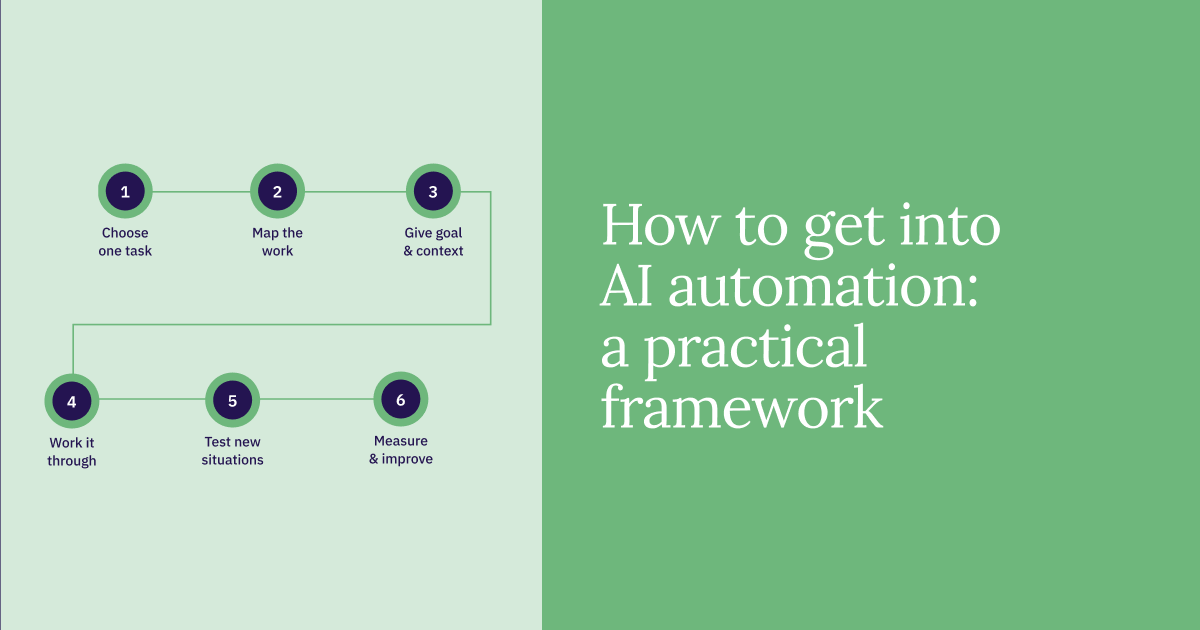
A framework for getting your AI training program started
Turn the discussion into a small set of decisions you can take to colleagues or a prospective provider. You’re ready to move forward when the learning need, commitment, and responsibilities are clear enough for people to act.
- Define the outcome. Describe the task employees should handle better, establish their starting capability, and agree who will assess progress using comparable work and criteria.
- Choose the first group. Identify people who share a useful learning need and can make time to participate. If you’re testing fit across roles, include those perspectives in the initial group.
- Match training and support. Compare the level, practice, feedback, workload, and tool requirements with that group’s needs. Confirm who teaches, reviews progress at agreed checkpoints, and follows up when learners need help.
- Agree the commitment. Secure the budget, protected time, approved access, and named internal contacts. Resolve purchase and delivery questions before employees are expected to start.
- Start, review, and adapt. Agree a review point that gives participants time to apply the learning. Examine their work, ask where help is still needed, and check whether the workload and support were workable before expanding or changing the approach.
Your next conversation can begin with a clear request: the capability your team needs, the people it would serve, and the conditions the learning must fit. That gives an internal trainer or external partner something concrete to respond to, and gives you a useful basis for judging their answer.
Frequently asked questions
Can a small company start AI training without a dedicated L&D team?
Yes, a small company can coordinate AI training through a manager or another named owner. That person needs to arrange the goals, participants, time, and access, while an internal facilitator or provider handles the instruction and support you’ve agreed. You don’t need a separate department to make those responsibilities clear.
What if employees have already completed introductory AI training?
Look at what employees can apply now and where they still need help before buying more introductory training. The next useful investment may be role-specific practice, feedback, or support using approved tools. If the foundation is sound, build on it with learning that addresses the remaining gap.
AUTHOR